
Static elements
Drawings that never change, for the dial, the background and decorations.
A static element is a drawing that stays the same all the time: a dial, a background color or pattern, a logo, a frame. Because it never changes, the watch draws it once and keeps it, which makes it the lightest element there is on your battery.
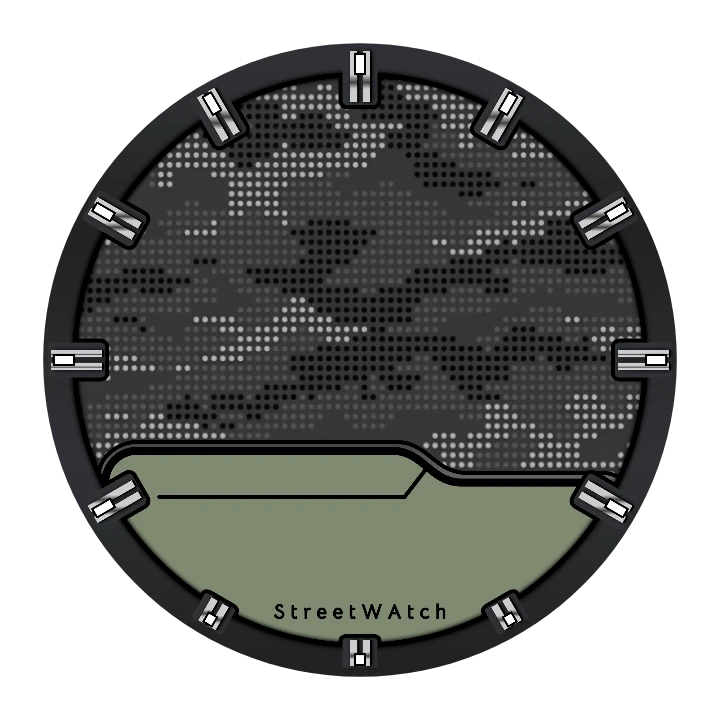
Here is the static element of JD V547 by Jesús Diaz on its own, without the hands and data on top: the bezel, the hour markers and the camouflage dial are all one drawing.
Adding a static element
Section titled “Adding a static element”- Tap the add button above the element list and pick Static element.
- Pick New item to draw one, or From the watch face library to start from someone else’s.
- Draw it in the watch element designer, inside the helper shape: that’s the size of the watch face.
Settings
Section titled “Settings”Tap action
What happens when you tap the element on the watch, such as opening an app. Leave it empty for a background you don’t want to react to taps.
Opens the tap action picker.
Not available on the ambient face.
Below this are the position and animation cards every element has.
Good to know
Section titled “Good to know”- Keep what doesn’t change out of dynamic elements. For the watch, the app turns a static element into a single picture, however many layers you drew. In a dynamic element or a complication every layer stays a separate live part. So when part of a dynamic design never changes (a frame, a dial, the scale of a gauge), draw it in a static element behind it: the watch has less to draw, and the watch face passes the check before it goes to a Wear OS 6 watch more easily.
- Behind or on top: the element list is the drawing order, with the first element on top. A background goes at the bottom of the list; a frame or a glass reflection can sit on top.
- On the always-on face keep the background black: every lit pixel costs battery, and some watches refuse a bright always-on face.