
Navigation drawer
The menu that slides in from the left: your account, the Library, new watch faces, settings and help.
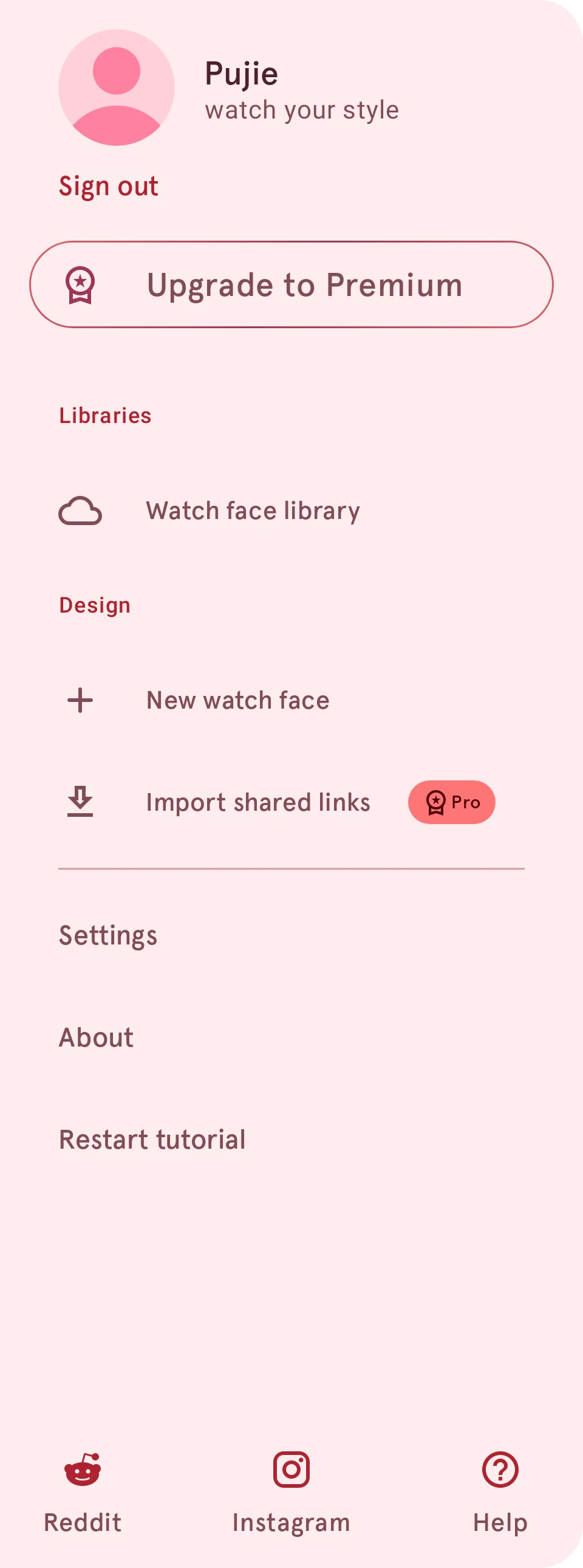
The navigation drawer holds everything outside the screen you’re on. Open it with the menu button at the top left of the watch face designer, or swipe in from the left edge.
Account
Your picture and name, from your Library account.
Sign out
Signs you out. When you’re not signed in, it reads Sign in instead.
Upgrade to Premium
Shows what Premium adds. Only on the free version; with Premium, Rate app is in the menu instead.
Watch face library
Opens the Library.
New watch face
Starts a new design, empty or from a starter face.
Import shared links
Needs Premium Opens watch faces and elements someone shared with you as a link.
Settings
Opens the app’s settings.
About
The app’s version, its change log, the credits, and the legal pages such as the privacy policy.
Restart tutorial
Plays the app’s introduction again.
Help
Opens these pages.
When you have a recent design, a Continue editing card sits above New watch face: it takes you straight back to that watch face, and it’s highlighted while you’re in the designer. Next to Help at the bottom, Reddit and Instagram open the Pujie community.