
Global object editor
Edit the global object: values and calculations every layer of the element can use.
Opened from
The global object holds values and calculations that every expression in the element can use, so a calculation you need in many layers is written once. It’s in dynamic elements and complications, behind the button at the end of the readout above the canvas.
It’s the same editor as for an expression, but
each line sets a value on [global], like [global].progress = … below. The layers then read it as
[global].progress. The global object
explains how to write one.
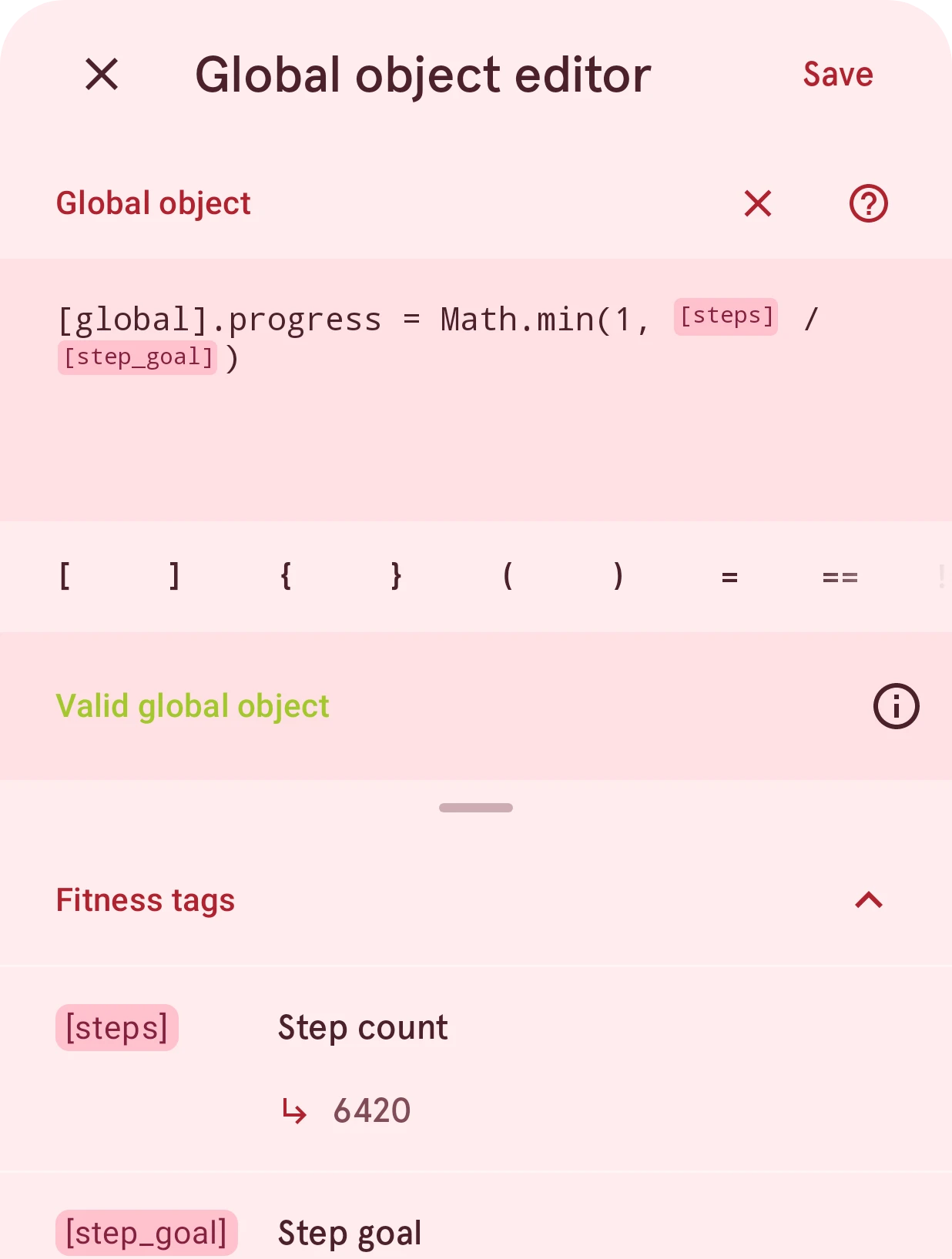
Close
Closes the editor. If you changed the global object, it asks first whether to throw the changes away.
Save
Keeps the global object. One that doesn’t work can’t be saved.
Expression
Where you write the global object, one value per line. Data tags show as chips.
Clear
Empties the field, after asking.
Help
Opens the expression editor docs.
Quick insert
Operators, brackets and snippets. Tap one to insert it at the cursor.
Result value
Says whether the global object is valid, instead of showing a value, and what’s wrong when it isn’t. Tap its info button to see the values it holds right now.
Tags
The data tags you can use, by category, each with its current value. Tap a tag to insert it.