
AI assistants
Decide whether AI assistants like Claude, ChatGPT and Gemini can design watch faces in Pujie, connect them to your account, and choose what they may do.
AI assistants is its own section on the app’s main settings page. These settings decide whether AI assistants can use Pujie at all, and what they may do. What an assistant can do for you is explained under AI assistants.
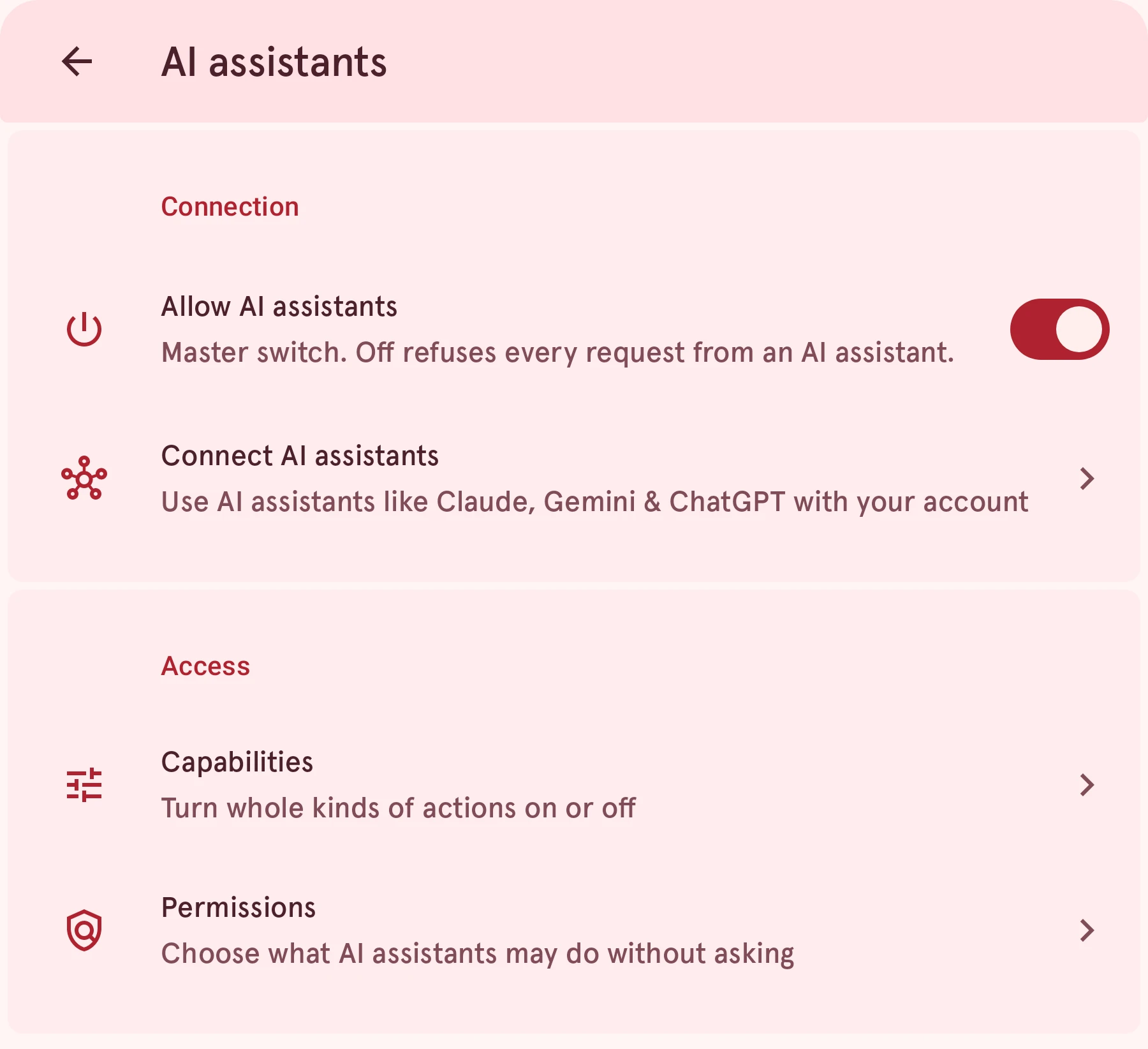
Connection
Allow AI assistants
SwitchMaster switch. Off refuses every request from an AI assistant.
Off until you turn it on. Stop on the activity pill turns this off too, so if an assistant suddenly gets refused everything, check here first. Your connected assistants and permissions stay as they are while it’s off.
Use AI assistants like Claude, Gemini & ChatGPT with your account
Makes this phone reachable, adds new assistants, and lists the ones connected to your account.
Opens Connect AI assistants.
Access
Two pages work together. Capabilities is the on/off switch for a whole kind of action; Permissions says whether a kind that’s on needs your OK.
Capabilities
PageTurn whole kinds of actions on or off
For the kinds of action you never want an assistant to do, such as deleting or installing on your watch.
Opens Capabilities.
Permissions
PageChoose what AI assistants may do without asking
For each kind of action: ask you first, always allow it, or refuse it.
Opens Permissions.